Latest Innovations in Structured Cabling Technology
Structured cabling is changing fast. Higher WiFi speeds, more PoE devices, and growing security needs are pushing new cabling innovations into real offices. This guide breaks down practical Cabling Innovations, the emerging tech behind them, and how to plan upgrades that support UniFi networks, VLAN security, and long-term reliability.
What Is the UniFi Ecosystem and Why Businesses Choose It (Cabling Innovations Ready)
The Ubiquiti UniFi ecosystem is a set of networking products managed through a central controller. Instead of using separate dashboards for routing, switching, and WiFi, UniFi brings visibility into one place. As a result, teams can standardize configurations and troubleshoot faster.
How Cabling Innovations support UniFi switches, PoE, and WiFi
UniFi networks often rely on PoE for access points, cameras, and access control. Because of that, the physical layer matters more than ever. Cabling innovations like improved cable designs, better patching practices, and smarter testing help reduce PoE reboots, link flaps, and “random” disconnects.
UniFi components that benefit from emerging tech in cabling
- UniFi controllers manage device settings, firmware, and alerts.
- UniFi gateways provide routing and firewall controls at the network edge.
- UniFi switches connect endpoints and often deliver Power over Ethernet (PoE).
- UniFi access points provide WiFi, but they rely on stable wired uplinks.
- VLANs separate traffic for staff, guest, and IoT devices to improve network security.
Complete UniFi Network Services We Provide in New York City (Cabling Innovations Applied)
UniFi Nerds supports businesses across New York City and nearby areas. If you searched “structured cabling near me” or “network upgrade near me,” these are the services we commonly provide—using modern standards and practical IT advancements.
Services where Cabling Innovations and IT advancements matter most
- Structured cabling planning, installation, cleanup, and labeling
- Cable testing and certification for performance verification
- WiFi design and UniFi access point deployment
- Switching and PoE planning for cameras, access points, and phones
- Gateway/firewall configuration and secure remote access planning
- VLAN segmentation for staff, guest, and IoT networks
- UniFi Protect camera networks and recording design
- UniFi Access door access control network design
- Ongoing monitoring and support
How Our UniFi Deployment Process Works With Cabling Innovations
New technology only helps when it’s installed and documented correctly. So, we use a repeatable process that supports reliability today and easier upgrades later.
Step 1: Network assessment that plans for emerging tech
First, we confirm device locations, cable pathways, and closet conditions. Next, we review switch capacity, PoE needs, and uplinks. Then we document what exists so the upgrade plan stays realistic.
Step 2: Cabling innovations in labeling, patching, and documentation
“Innovation” is not always a new product. Often, it’s a better system: consistent labels, clean patch panels, cable management, and port maps that match real endpoints. These basics reduce downtime and speed up future changes.
Step 3: Testing and certification as an IT advancement
A basic tester can confirm continuity. Certification testing goes further by measuring performance characteristics against a standard. In practice, that helps catch marginal runs that “work” but fail under PoE load or heavy traffic.
Step 4: VLAN and gateway security for modern networks
We separate staff, guest, and IoT traffic using VLANs. Then we apply firewall rules at the UniFi gateway to control access between networks. This supports network security as device counts grow.
Why Businesses Need Professionally Designed Network Infrastructure (Cabling Innovations)
Cabling innovations matter because networks are carrying more than ever: WiFi backhaul, cameras, access control, phones, and IoT. When the physical layer falls behind, businesses see slow performance, unstable PoE, and harder troubleshooting.
Cabling Innovations that are practical today (not hype)
- Better PoE planning: More endpoints rely on PoE, so switch selection and cable quality matter more.
- Cleaner closet standards: Patch panels, labeling, and cable management reduce “mystery” outages.
- Smarter testing: Certification testing can catch marginal runs before they fail under load.
- Improved pathway protection: Better routing and strain relief reduce crushed cables and tight bends.
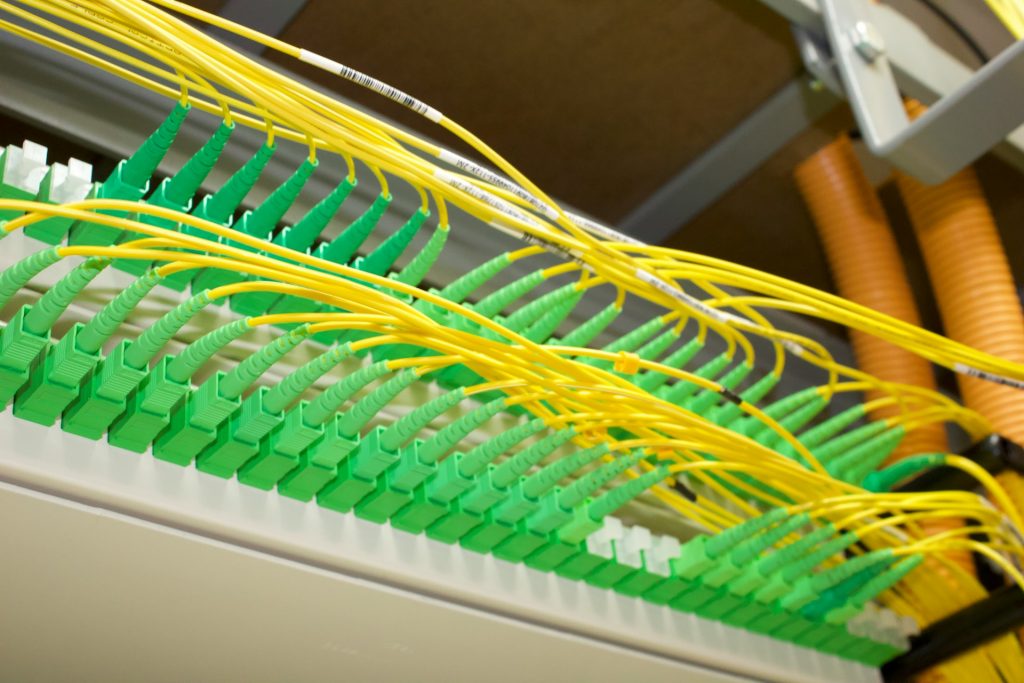
- Fiber where it makes sense: Fiber can reduce interference risk and support higher uplink needs between closets.
Real-world example: upgrading for more PoE devices
A common upgrade is adding cameras and newer access points. The network looks fine until PoE endpoints reboot or links negotiate down. In that situation, the fix is usually a mix of cabling cleanup, testing, and PoE capacity planning—plus VLAN design so IoT devices stay separated from staff systems.
Common Network Problems We Solve (Cabling Innovations Reduce These)
Many problems that look like “network issues” start with the physical layer. Cabling innovations help prevent them, but only when installed and maintained correctly.
PoE reboots and unstable endpoints
Access points, cameras, and access control devices can reboot when a cable run is marginal or when the switch PoE budget is tight. We confirm PoE draw, validate terminations, and test the run to isolate the cause.
Link flaps and low negotiated speeds
Link flaps can come from damaged cable jackets, tight bends, or loose keystones. UniFi switch logs can point to the port, while physical testing confirms the failing segment. After repairs, we re-test to confirm stability.
Security gaps from flat networks (VLANs as a modern fix)
As IoT grows, flat networks become riskier. We use VLANs to separate staff, guest, and IoT traffic. Then we apply gateway firewall rules to limit access between networks, which improves network security.
Industries We Serve (Emerging Tech and Cabling Innovations)
Cabling innovations show up in different ways depending on the environment. Still, the goal stays the same: stable links, reliable PoE, and secure segmentation.
- Retail: POS stability, guest WiFi, and camera-ready PoE design
- Hospitality: Dense WiFi environments and segmented back-of-house networks
- Healthcare clinics: Segmentation and documentation that support compliance-focused operations
- Professional services: Secure networks and stable conferencing
- Multi-tenant buildings: Closet standardization and clear port mapping in shared spaces
UniFi vs Traditional Networking Solutions (Cabling Innovations Still Need Standards)
Traditional networks often use separate tools for routing, switching, WiFi, and monitoring. That can work. However, UniFi simplifies visibility by bringing key information into one controller experience.
How UniFi helps you validate cabling upgrades
- Port insights: Link speed changes, errors, and PoE draw can point to weak runs.
- Client history: Repeated disconnect patterns can highlight problem areas.
- Segmentation visibility: VLAN and firewall rules stay easier to review and maintain.
Still, no dashboard can replace physical testing. Cabling innovations work best when you pair them with clean installation and documentation.
Key Takeaways (Cabling Innovations and IT Advancements)
- Cabling Innovations support higher device counts, more PoE, and faster WiFi backhaul.
- Emerging tech only helps when installed with clean standards, labeling, and testing.
- IT advancements like certification testing catch marginal runs before they fail under load.
- UniFi visibility helps you spot symptoms, while physical testing confirms root cause.
- VLANs and firewall rules improve network security as IoT grows.
Frequently Asked Questions About UniFi Network Services (Cabling Innovations)
1) What are the most important Cabling Innovations for businesses today?
The most important innovations are the ones that reduce downtime: better PoE planning, cleaner closet standards, stronger documentation, and smarter testing. Many businesses add cameras, access control, and newer access points over time. When the cabling is organized and tested, these upgrades go smoother. In addition, fiber uplinks between closets can help when bandwidth needs grow. The best approach is to match the innovation to the real problem you’re trying to solve.
2) Do I need fiber to keep up with emerging tech?
Not always. Many offices run well on copper cabling for endpoints and use fiber for uplinks between closets or floors. Fiber can help when you need higher uplink capacity or when you want to reduce interference risk on long runs. However, fiber also requires the right hardware and termination practices. A practical plan often uses copper for access points and devices, then fiber for backbone links where it makes sense.
3) How do Cabling Innovations reduce PoE problems?
PoE problems often come from marginal cabling, weak terminations, or overloaded switch budgets. Cabling innovations help by improving testing discipline, using better cable management, and planning PoE capacity upfront. In UniFi, you can also monitor PoE draw per port and spot patterns. Still, the physical layer has to be solid. When you combine clean cabling with PoE-aware switching, endpoints stay stable.
4) How do VLANs fit into modern structured cabling upgrades?
VLANs are a network design tool, but they matter more as IoT grows. Many structured cabling upgrades support cameras, access control, and guest WiFi. VLANs separate that traffic from staff systems. With UniFi, VLANs are typically configured at the gateway and enforced through switches and WiFi networks. Then firewall rules control access between networks. This improves network security and keeps troubleshooting cleaner.
5) What should I expect from a “near me” structured cabling upgrade plan?
A good plan starts with a site walkthrough and a network assessment. It should review closets, pathways, switch capacity, PoE needs, and future growth. Then it should recommend practical upgrades: cleanup, labeling, testing, and any backbone improvements like fiber where needed. Finally, it should include documentation so future changes stay predictable. The goal is to reduce downtime and support emerging tech without overbuilding.
Schedule Your Free Site Survey
Contact UniFi Nerds for a comprehensive network assessment and professional advice tailored to your office or business network
Call: 833-469-6373 or 516-606-3774 | Text: 516-606-3774 or 772-200-2600
Email: hello@unifinerds.com | Visit: unifinerds.com
Free consultations • Phased implementation • Budget-friendly • Testing & documentation