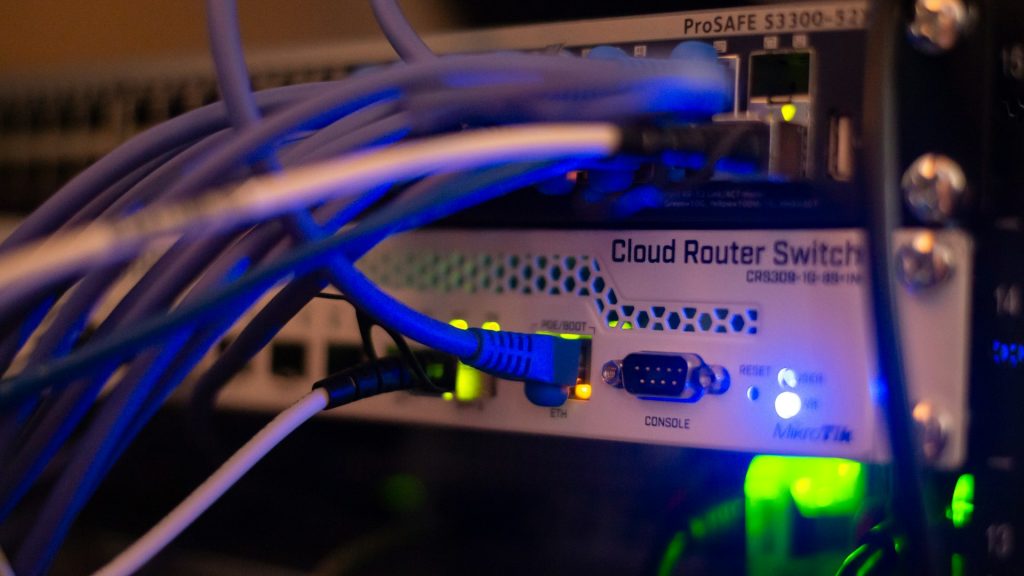
How Structured Cabling Supports IoT Integration in Port St. Lucie, FL
Structured cabling is the “hidden infrastructure” that keeps IoT reliable. In Port St. Lucie, FL, businesses use modern cabling to connect cameras, access control, WiFi, and sensors with fewer outages. As a result, teams spend less time troubleshooting and more time running the business. This guide explains how structured cabling supports IoT integration, how UniFi networks are built, and what to expect from a professional deployment near you.
What Is the UniFi Ecosystem and Why Businesses Choose It
The Ubiquiti UniFi ecosystem is a family of networking products that work together under one management platform. Rather than mixing separate brands for WiFi, switching, routing, and security, UniFi lets you run a coordinated system that’s easier to monitor and maintain. Because everything is designed to work together, changes are simpler to document and support.
Core UniFi components (and what they do)
- UniFi Controllers (Cloud Key or built-in controllers in UniFi gateways): The “brain” that manages settings, firmware, users, and alerts across your UniFi devices.
- UniFi Gateways: Your edge router and firewall that connects your network to the internet and enforces security policies.
- UniFi Switches: Provide wired connectivity and often deliver Power over Ethernet (PoE) to power IoT endpoints.
- UniFi Access Points (APs): Provide WiFi coverage for laptops, phones, and wireless IoT devices.
- UniFi Protect: Video surveillance platform for cameras and recording (NVR), commonly powered and connected via PoE.
- UniFi Access: Door access control (readers, controllers) that relies on stable wiring and secure network segmentation.
Why UniFi fits IoT-heavy environments
IoT environments create lots of small connections: cameras, sensors, badges, intercoms, VoIP phones, digital signage, smart TVs, and building controls. For that reason, UniFi is popular because it supports:
- Central management for many devices across one or multiple sites
- VLANs (Virtual LANs) to isolate IoT devices from business-critical systems
- Network security controls at the gateway and switch level
- PoE switching to power IoT devices without separate electrical runs
- Visibility into device health, port status, and client connectivity
Here’s the key point: UniFi can only perform as well as the physical layer beneath it. In practice, that physical layer is your structured cabling.
Complete UniFi Network Services We Provide in Port St. Lucie
UniFi Nerds provides end-to-end UniFi network services in Port St. Lucie and nearby areas. If you searched “UniFi network services near me,” these are the common projects we handle for offices, retail, hospitality, medical, and multi-tenant buildings. Additionally, we design networks so they can scale as your Internet of Things footprint grows.
- Structured cabling design and installation (cable pathways, labeling, rack layout, patch panels)
- Cable testing and certification to confirm performance and reduce intermittent failures
- UniFi WiFi design and deployment (AP placement, channel planning, roaming, guest WiFi)
- Switching and PoE planning for cameras, access control, and IoT endpoints
- Gateway and firewall configuration (secure internet edge, threat controls, VPN where appropriate)
- VLAN and network segmentation for IoT, guest, staff, and sensitive systems
- UniFi Protect camera systems (coverage planning, recording, retention, secure access)
- UniFi Access (door controllers, readers, secure network design)
- Ongoing monitoring and managed support to keep IoT and WiFi stable over time
When IoT is part of the plan, we treat cabling and switching as the foundation. That’s what makes Cabling IoT Integration work in real buildings, not just on paper.
How Our UniFi Deployment Process Works
A reliable IoT network starts with planning. To keep projects predictable, our team follows a practical, field-tested process for UniFi deployments in Port St. Lucie, FL.
1) Discovery and requirements
First, we map what you connect today and what you plan to add next—cameras, door access, sensors, POS systems, VoIP, guest WiFi, and cloud-managed IoT platforms. Next, we confirm any compliance needs, such as protecting sensitive data in healthcare environments. With those goals documented, the cabling plan and UniFi configuration stay aligned with the real workflow.
2) Cabling and physical design (the “structured” part)
Then we design the physical layer. Structured cabling uses consistent routes, safe bend radius, organized racks, labeled patch panels, and clean terminations. As a result, the network stays easier to support when your space changes.
3) Switching, PoE, and capacity planning
Because many IoT devices rely on PoE, we plan switch ports, PoE budgets, and uplink capacity so cameras and access points don’t compete with business traffic. In addition, we build in room for growth, which helps you avoid emergency upgrades later. This is where Modern Cabling and the right switch design protect performance.
4) UniFi configuration: VLANs, security, and WiFi
After the physical layer is solid, we configure UniFi. For example, we separate IoT from staff devices using VLANs and enforce access rules at the gateway firewall. We also lock down WiFi settings and limit management access. In other words, segmentation reduces risk because many IoT devices have fewer security controls than laptops and phones.
5) Testing, documentation, and handoff
Finally, we test and document everything. We validate cabling, confirm PoE stability, check camera streams, and verify roaming behavior. Meanwhile, we produce clear documentation so future changes stay safe and fast.
Why Businesses in Port St. Lucie Need Professionally Designed Network Infrastructure
IoT is not “just WiFi.” Instead, it’s a mix of wired and wireless devices that must stay online for safety, operations, and customer experience. In Port St. Lucie, many businesses add IoT in phases—starting with cameras and WiFi, then expanding into access control, sensors, and smart building systems. Because of that phased growth, the network has to scale from day one.
How structured cabling supports IoT integration
- Stability: Wired backhaul reduces packet loss and random disconnects that can break IoT workflows.
- Power delivery: PoE lets you power cameras, APs, and access control devices through the network cable.
- Predictable performance: Proper terminations and tested runs reduce “mystery” issues.
- Security design: A clean topology makes VLANs and firewall rules easier to enforce and audit.
- Scalability: Adding devices is faster when you have labeled ports, spare capacity, and documented pathways.
Real-world example: cameras + access control + guest WiFi
A common IoT stack is UniFi Protect cameras, UniFi Access door readers, and guest WiFi for visitors. For instance, cameras need steady uplinks and consistent PoE so recordings don’t have gaps. Meanwhile, door access needs low-latency connectivity and strong segmentation to reduce risk. Guest WiFi also needs isolation from business systems, so visitors don’t share the same network as staff devices. With structured cabling, each system becomes predictable and supportable.
If you’re searching for “structured cabling near me” because you’re expanding IoT, it’s smart to fix the wiring before devices are mounted and users depend on them. That way, you avoid rework and reduce downtime later.
Common Network Problems We Solve
Many “network problems” trace back to cabling or other physical-layer issues. So, when IoT devices start dropping offline, we check wiring quality, PoE delivery, and switch configuration early. Below are common issues we see in IoT-heavy networks and how structured cabling helps prevent them.
1) Intermittent camera drops and choppy video
Cameras are sensitive to unstable PoE and poor terminations. Although a cable can pass a basic link test, it may still fail under real load. Certified cabling and correct PoE switching reduce reboots, stream drops, and recording gaps. As a result, you get more consistent video evidence when it matters.
2) WiFi dead zones and roaming problems
Access points need correct placement and a clean wired uplink. However, when APs connect through unmanaged switches or poorly terminated jacks, performance becomes inconsistent. Structured cabling supports proper AP placement and stable backhaul, which improves roaming and reduces “sticky client” issues.
3) “Everything is on one network” security risk
Many IoT devices should not share the same network as staff computers or sensitive systems. For that reason, we use VLANs to isolate IoT devices and enforce firewall rules at the gateway. This limits lateral movement if an IoT device is compromised. In addition, segmentation keeps guest traffic away from business-critical tools.
4) Not enough ports, not enough PoE, not enough bandwidth
IoT growth is usually underestimated. Therefore, we plan port count, PoE budgets, uplinks, and rack space before devices arrive onsite. Modern cabling and correct switch uplinks help avoid bottlenecks as you add devices. Over time, this planning also reduces emergency upgrades.
5) Troubleshooting takes too long
Without labels, diagrams, and test results, every issue becomes guesswork. In contrast, structured cabling includes documentation so your team (or ours) can find the right port, confirm the path, and fix problems quickly. That’s especially helpful when you manage multiple vendors or multiple locations.
Industries We Serve
IoT shows up differently depending on the environment. Because of that, we design UniFi networks and structured cabling to match real operational needs in Port St. Lucie and surrounding areas. In each case, we focus on stability first, then security, and then long-term scalability.
- Healthcare and clinics: Segmented networks for IoT devices, guest WiFi, and staff systems.
- Retail and multi-location businesses: Reliable WiFi, cameras, and POS connectivity with consistent templates.
- Hospitality: Guest WiFi design, back-of-house segmentation, and surveillance coverage.
- Professional services offices: Secure VLANs, stable conferencing, and predictable performance.
- Warehouses and industrial spaces: Coverage planning, durable cabling paths, and stable PoE for cameras.
- Multi-tenant buildings: Clean segmentation and scalable cabling for shared infrastructure.
Across all industries, the goal stays the same: build the physical layer correctly, then secure and manage it with UniFi so IoT stays dependable.
UniFi vs Traditional Networking Solutions
“Traditional networking” often means separate systems for routing, switching, WiFi, and monitoring—sometimes from different vendors with different dashboards. That approach can work. However, it can slow down troubleshooting and make IoT expansions harder, especially when multiple vendors get involved during an outage.
Where UniFi stands out for IoT
- Single-pane management: Controllers provide visibility into clients, ports, and device health.
- Consistent VLAN workflows: Easier segmentation for IoT, guest, and staff networks.
- PoE-first design: Switching options that fit camera, access point, and access control deployments.
- Scalable templates: Useful for multi-site rollouts and standardized configurations.
Where structured cabling still decides the outcome
Even with great hardware, the physical layer still determines reliability. For example, one bad termination can cause link flaps that look like “random” device failures. Because of that, these fundamentals matter:
- Correct cable type and installation quality (clean terminations, proper routing, no crushed cables)
- Testing and certification so you know each run performs to spec
- Logical layout (racks, patch panels, labeling) so changes don’t create chaos
- Capacity planning for PoE, port count, and uplinks
In other words, UniFi can make management easier. Still, Cabling IoT Integration is what keeps the day-to-day experience stable for your team.
Key Takeaways
- Structured cabling is the foundation for reliable IoT connectivity, PoE power, and predictable performance.
- Modern cabling + PoE switching supports cameras, access control, WiFi access points, and many sensors.
- UniFi controllers simplify visibility and management; however, they still depend on clean wiring and a well-designed topology.
- VLANs reduce risk by isolating IoT devices from staff and sensitive systems.
- Professional design saves time because it reduces outages, speeds up troubleshooting, and makes expansions easier.
- Local support matters when you need fast help “near me” in Port St. Lucie and surrounding areas.
Frequently Asked Questions About UniFi Network Services
1) What does “structured cabling” mean for an IoT network?
Structured cabling is a standardized way to install and organize network wiring so it’s reliable and easy to maintain. For IoT, this matters because devices like cameras, access control panels, and access points often run 24/7 and may rely on PoE power. Typically, structured cabling includes a planned cable pathway, patch panels, labeled ports, proper terminations, and testing. As a result, you get fewer random disconnects, faster troubleshooting, and a network that can grow as you add more Internet of Things devices. Plus, it supports cleaner segmentation because you can map devices to switch ports and VLANs with confidence.
2) Why is PoE important for Cabling IoT Integration?
PoE (Power over Ethernet) lets a network cable carry both data and power. This is important because many IoT endpoints—like cameras, door readers, intercoms, and WiFi access points—can be powered without a separate electrical outlet. Therefore, installation is simpler and device placement is more flexible. However, PoE is only stable when the cabling is installed correctly and the switch has enough PoE capacity. If the cable is damaged, poorly terminated, or too long, devices may reboot or drop offline. Modern cabling and proper testing help keep PoE consistent.
3) What is a VLAN, and why should IoT devices be separated?
A VLAN (Virtual LAN) is a way to split one physical network into separate logical networks. For IoT, this is one of the most practical security steps you can take. Many Internet of Things devices have limited security controls, infrequent updates, or default settings that are easy to misconfigure. By placing IoT devices on their own VLAN, you can restrict what they can access and reduce the chance of a compromised device reaching sensitive systems. In addition, VLANs keep guest traffic separate from business operations. In UniFi, VLANs are typically configured at the gateway and enforced through switches and WiFi networks.
4) Do IoT devices need to be wired, or is WiFi enough?
Some IoT devices work well on WiFi, but many critical devices are better wired. For example, cameras, access control controllers, and core infrastructure are usually more stable on Ethernet because wired links avoid interference and reduce latency. WiFi is great for mobile devices and certain sensors; however, it can be affected by building materials, neighboring networks, and device density. A strong approach is a hybrid design: wired backhaul for access points, cameras, and controllers, plus well-planned WiFi for endpoints that must be wireless. Ultimately, structured cabling gives you the option to choose the best connection type per device.
5) What causes “random” network issues in IoT-heavy buildings?
“Random” issues usually have a root cause. Common culprits include poor cable terminations, damaged cables, unstable PoE, overloaded switches, and unmanaged network gear added over time. Another frequent issue is lack of segmentation—when everything shares one flat network, a single misbehaving device can create broadcast noise or security exposure. WiFi issues can also look random when access points are placed without a plan or when channels overlap. As a result, the fix is typically a combination of modern cabling, testing, correct switch selection, and a UniFi configuration that includes VLANs and security rules.
6) How do UniFi controllers help manage IoT networks?
UniFi controllers centralize management for gateways, switches, and access points. That means you can view device status, client connections, port activity, and alerts in one place. For IoT, this visibility is helpful because you can quickly see which switch port a camera is on, whether it’s drawing PoE, and whether it’s dropping packets. In addition, controllers make it easier to maintain consistent settings across multiple sites. Still, the controller can’t “fix” bad wiring—if a cable is failing, the controller may show symptoms (like link flaps). Therefore, structured cabling and proper testing are what prevent those issues.
7) What should I expect from a professional site survey near me in Port St. Lucie?
A professional site survey should cover both the physical layer and the network design. On the cabling side, it reviews rack location, cable pathways, distance limits, and where patch panels and switches should live. For WiFi, it checks access point placement, coverage goals, and interference. For IoT, it maps device locations, PoE needs, and segmentation requirements, such as separate VLANs for cameras and access control. You should also receive clear recommendations and a phased plan when the project needs to roll out in stages. Finally, strong documentation explains what gets installed and why, which makes future upgrades safer.
Suggested Internal and External Links
Internal link ideas (on unifinerds.com)
- Structured cabling services page (anchor text: “structured cabling in Port St. Lucie”)
- WiFi site survey page (anchor text: “WiFi site survey near me”)
- UniFi Protect / security camera page (anchor text: “UniFi Protect camera system”)
- Managed IT / monitoring page (anchor text: “managed network support”)
- Network security / VLAN segmentation article (anchor text: “VLAN network segmentation”)
External link ideas (authoritative references)
- NIST (security best practices and risk management)
- CISA (cybersecurity guidance for organizations)
- Ubiquiti Help Center (official UniFi documentation)
- TIA (telecommunications cabling standards organization)
Tip: Use internal links to guide visitors from this article to your service pages. Also, add external links to reinforce trust and E-E-A-T with reputable sources.
Schedule Your Free Site Survey
Contact UniFi Nerds for a comprehensive network assessment and professional advice tailored to your office or business network
Call: 833-469-6373 or 516-606-3774 | Text: 516-606-3774 or 772-200-2600
Email: hello@unifinerds.com | Visit: unifinerds.com
Free consultations • Phased implementation • Budget-friendly • Testing & documentation