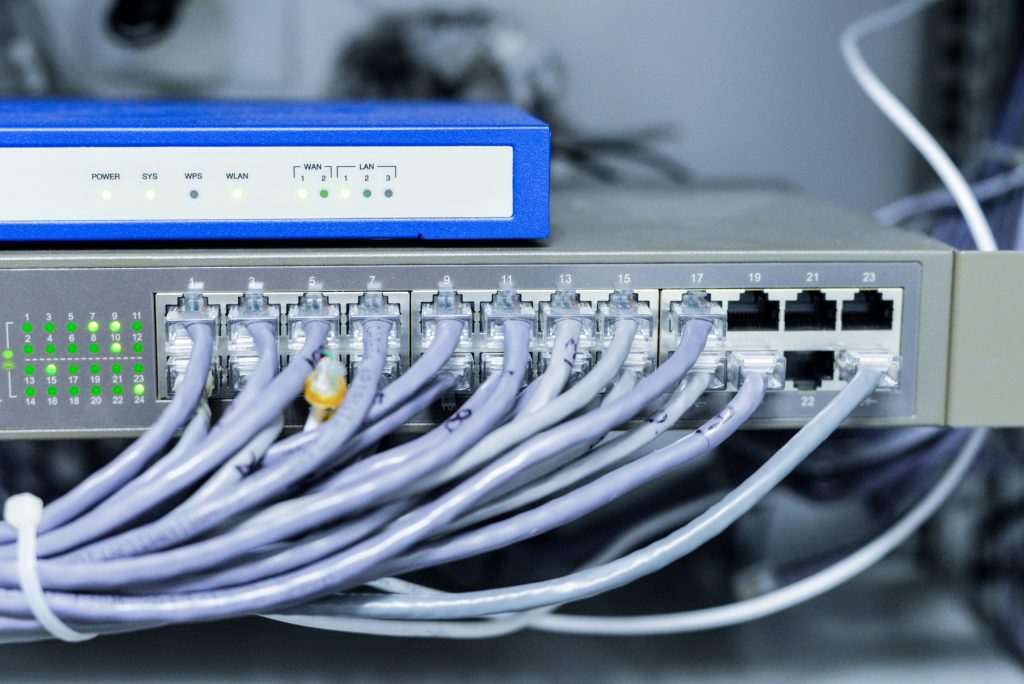
Comprehensive Comparison of Ethernet Cables: Ethernet Cable Types, Network Speed, and Cabling Options
Choosing between Ethernet Cable Types is not just a shopping decision. It affects Network Speed, PoE stability, and how long your cabling lasts. It also impacts which Cabling Options make sense for offices, retail, warehouses, and multi-floor buildings. Therefore, this guide compares the most common Ethernet cable categories, explains what matters in real installs, and shows how to avoid standards-related mistakes (TIA/EIA) that cause hidden performance issues.
This is written in a trustworthy, non-promotional tone. It includes real-world scenarios from IT technicians, plus corrective steps you can use during planning and sign-off. In addition, you will find comparison charts you can copy into WordPress.
How Ethernet Cable Types Affect Network Speed (What Actually Changes)
Cable categories (Cat5e, Cat6, Cat6A, and more) are designed for different performance targets. However, your real results depend on the full system: terminations, patch cords, pathways, and testing. Consequently, “buying better cable” does not fix poor installation.
Real-world scenario: “We paid for Cat6A but still get 100 Mbps”
An office upgrades cabling and expects higher network speed. Yet several ports negotiate down to 100 Mbps. The issue is not the cable category. It is poor terminations and mixed parts. After re-terminating and replacing a few bad patch cords, the links stabilize at 1G. Therefore, installation quality matters as much as cable type.
TIA/EIA Cabling Standards for Ethernet Cable Types (Why “To Standard” Matters)
When installers reference TIA/EIA standards, they are usually talking about consistent structured cabling practices. These cover installation methods, termination habits, labeling, and testing. Therefore, standards reduce risk and make troubleshooting faster.
Standards-based basics that protect your cabling options
- Use one wiring scheme across the site (often T568B)
- Keep pair twists close to the termination point
- Maintain safe bend radius and avoid crushing bundles
- Label both ends and deliver a port map
- Test every run and save the results by cable ID
Ethernet Cable Types Chart: Cat5e vs Cat6 vs Cat6A vs Cat8 (Quick Comparison)
Use this chart as a fast starting point. Then match the cable to your environment, PoE needs, and upgrade plan.
| Cable Type | Typical Use | Network Speed Fit | PoE Considerations | Best For |
|---|---|---|---|---|
| Cat5e | Basic office drops | Often fine for 1G | Can work for PoE, but quality varies | Legacy sites, budget refreshes |
| Cat6 | Modern structured cabling | Strong 1G, some 10G use cases | Better for PoE stability than low-grade cable | Most offices, retail, SMBs |
| Cat6A | Higher performance installs | Better fit for 10G planning | Good choice for higher PoE loads | Smart offices, high-density WiFi, growth |
| Cat8 | Specialized short runs | High-speed, short-distance focus | Not a default choice for general office drops | Data center or specific high-performance needs |
Note: Real-world performance depends on the full channel (patch cords, jacks, patch panels, and installation). Therefore, treat cable type as one part of the system.
Cabling Options Beyond Category: Shielded vs Unshielded (UTP vs STP)
Many buyers focus only on Cat rating. However, shielding choices matter in some environments. UTP (unshielded) is common in offices. STP (shielded) can help in high-noise areas. Still, shielding adds complexity. Therefore, it should be chosen on purpose, not by default.
Real-world scenario: warehouse noise and unstable links
A technician sees unstable links near heavy equipment. The cable pathway runs close to electrical and machinery. After improving pathway separation and using the right cabling option for the environment, stability improves. Consequently, the fix is often pathway design first, not just “buy shielded cable.”
Corrective steps for cabling options decisions
- Start with pathway planning and separation from electrical noise
- Use shielding only when the environment truly needs it
- Keep parts consistent (cable, jacks, patch panels) to avoid mismatches
Network Speed and PoE: Ethernet Cable Types for Cameras, APs, and Phones
PoE is a major driver of cabling decisions. Cameras, access points, and phones rely on stable power delivery. However, PoE problems often get blamed on devices. Therefore, match your Ethernet cable types to your PoE plan and installation quality.
Common PoE-related network problems technicians see
- Devices reboot during peak hours
- Cameras drop when IR turns on at night
- Access points become unstable under heavy client load
- Ports show errors even when link speed looks correct
Corrective steps for PoE cabling fixes
- Confirm switch PoE budget and leave headroom
- Replace weak patch cords first (fast win)
- Inspect terminations and re-terminate if needed
- Test the run and save results by cable ID
Common Installation Errors with Ethernet Cable Types (TIA/EIA-Aligned Fixes)
Even the best Ethernet cable type can fail if the installation is sloppy. Therefore, use this section as a quality checklist during installs and audits.
Installation error: poor terminations (pairs untwisted too far)
This is one of the most common causes of unstable network speed. The cable may link up, but it becomes marginal. Consequently, you see packet loss and port flaps.
- Fix: re-terminate both ends using one scheme (often T568B)
- Fix: keep twists close to the termination point
- Fix: re-test after re-termination
Installation error: crushed bundles and tight bends
Cable is not a rope. Tight bends and crushing zip ties can damage the cable. Also, tight bundles can trap heat, which matters for PoE. Therefore, pathway quality is part of performance.
- Fix: use Velcro and proper supports
- Fix: maintain safe bend radius and avoid kinks
- Fix: replace damaged runs instead of guessing
Installation error: mixed components and “mystery cable”
Mixing random jacks, patch panels, and patch cords can create weak links. Also, some “cheap cable” is not what it claims to be. Consequently, you get inconsistent results across the site.
- Fix: standardize components across the project
- Fix: require labeling and test reports for every run
Which Ethernet Cable Types Should You Choose? A Simple Decision Tree
If you want a quick way to choose, use this decision tree. It keeps the focus on real needs instead of marketing claims.
Decision tree for cabling options
- If you need reliable 1G for office drops: Cat6 is often a strong baseline.
- If you are planning higher performance and growth: consider Cat6A for new installs.
- If you need long runs between closets: use fiber for backbone links.
- If you are in a high-noise environment: fix pathways first, then consider shielding if needed.
- If you are tempted by “highest category”: confirm the use case and the full system design first.
Internal Linking Suggestions (Detailed Ethernet Cable Types Articles)
- Network Cabling Guide: Structured Wiring & Cabling Standards (foundation)
- How to Choose the Right Cabling for Your Business (planning)
- When to Upgrade Your Office’s Cabling System (upgrade signs)
- Common Mistakes in Cabling Installations (Video) (quality control)
- Cat8 Cabling for Data Centers (deep dive)
- PoE Cable Testing and Certification: Why It Matters (PoE stability)
Conclusion: Ethernet Cable Types Matter, but Installation Quality Matters More
The right Ethernet cable types support network speed, stable PoE, and easier upgrades. However, the best cable cannot save a poor install. Therefore, choose cabling options based on your environment and growth plan, then require labeling and testing so performance is proven.
Schedule Your Free Ethernet Cable Assessment
Contact UniFi Nerds for a standards-based review to choose the right ethernet cable types, protect network speed, and confirm cabling options with testing + documentation
Call: 833-469-6373 or 516-606-3774 | Text: 516-606-3774 or 772-200-2600
Email: hello@unifinerds.com | Visit: unifinerds.com
Free consultations • Phased implementation • Budget-friendly • Testing + documentation