Complete UniFi Access Point Installation Tutorial
UniFi access point installation is one of the fastest ways to improve coverage and reliability in homes, offices, and outdoor properties. However, results depend on planning, cabling, and mounting quality. In this complete tutorial, we’ll walk through a repeatable process for outdoor access point setup, correct UniFi AP mounting, and selecting the right campground wifi hardware for challenging environments like RV parks and large outdoor venues.
This guide is written in a trustworthy, non-promotional tone and based on real-world technician workflows. You’ll also learn common installation errors tied to TIA/EIA practices, plus clear corrective steps. The goal is simple: install once, document it, and avoid repeat service calls.
UniFi Access Point Installation Overview: Step-by-Step Flow
Before you drill holes or pull cable, it helps to know the full flow. That way, you avoid rework. Additionally, you can stage hardware and tools in the right order.
UniFi access point installation steps (high-level checklist)
- Plan coverage and confirm mounting locations
- Choose the right model for indoor vs outdoor access point setup
- Plan cable routes and PoE switching
- Mount the AP using correct UniFi AP mounting practices
- Adopt the AP in UniFi Network and apply settings
- Validate roaming, speed, and stability
- Document the install for future support
UniFi Access Point Installation Planning: Coverage First, Hardware Second
Many people buy access points first. However, that often leads to poor placement. Instead, start with coverage goals and the layout. Then pick the right AP and mounting method.
Outdoor access point setup planning questions (especially for RV parks)
- Where do users actually need signal (rows, common areas, office, pool)?
- What blocks signal (metal, concrete, trees, RVs, elevation changes)?
- How many devices will connect during peak hours?
- Where can you place power and switching safely?
- What is your backhaul path to each zone (wired, fiber, point-to-point)?
Real-world technician scenario (UniFi access point installation): office coverage is great, rows are dead
Technicians see this when APs are placed where wiring is easy instead of where coverage is needed. The corrective step is to plan zones and mount APs down the rows, then build backhaul to support those locations.
Campground WiFi Hardware Selection: Choosing the Right UniFi AP Model
Not all access points are meant for all environments. Therefore, your campground wifi hardware plan should match weather exposure, mounting height, and client density.
Campground wifi hardware: indoor vs outdoor access point setup rules
- Indoor APs: great for offices, clubhouses, and indoor common areas
- Outdoor-rated APs: required for poles, exterior walls, and exposed areas
- High-density areas: pool and clubhouse often need more capacity than rows
- Directional needs: long corridors or road-like rows may benefit from directional patterns
Corrective step (outdoor access point setup): don’t use indoor APs outdoors “just to test”
Indoor gear outdoors often works for a short time. Then moisture and heat cause random reboots or failures. The fix is simple: use outdoor-rated models and weatherproof mounting practices from day one.
UniFi Access Point Installation Cabling: TIA/EIA Basics That Prevent Random Failures
Many “WiFi problems” are really cabling and power problems. TIA/EIA-aligned practices reduce intermittent issues by enforcing consistent termination, labeling, and testing.
UniFi access point installation cabling checklist (TIA/EIA-informed)
- Use the correct cable type for the environment (outdoor-rated where needed)
- Protect cable pathways (conduit, proper entry seals, strain relief)
- Terminate cleanly and consistently
- Label both ends of every run
- Test runs before mounting the AP permanently
TIA/EIA installation error (UniFi AP mounting support): outdoor cable without drip loops
Without drip loops, water follows the cable into enclosures and junction points. Over time, this causes corrosion and link instability.
- Corrective steps: add drip loops, seal entry points, and keep connectors protected
TIA/EIA installation error (campground wifi hardware): no labeling and no port map
When an AP goes down, staff should not guess which cable feeds it. Documentation is part of installation.
- Corrective steps: label both ends, maintain a port map, and store it where support can access it
Outdoor Access Point Setup: Power, PoE, and Switch Planning
Outdoor access point setup depends on stable PoE power. If PoE is underpowered or unstable, APs reboot and performance drops. Therefore, power planning is not optional.
Outdoor access point setup PoE checklist
- Confirm the AP’s PoE requirements before choosing a switch or injector
- Check total PoE budget on the switch (don’t run at 100%)
- Use surge protection and grounding in outdoor environments
- Place switches in protected, ventilated enclosures when outdoors
Real-world technician scenario (outdoor access point setup): random drops every few hours
Technicians often trace this to PoE power events or a failing cable run. The corrective step is to check switch logs for PoE faults, then replace patch cords, re-terminate ends, or upgrade the PoE switch if the budget is tight.
UniFi AP Mounting: Best Practices for Walls, Ceilings, and Poles
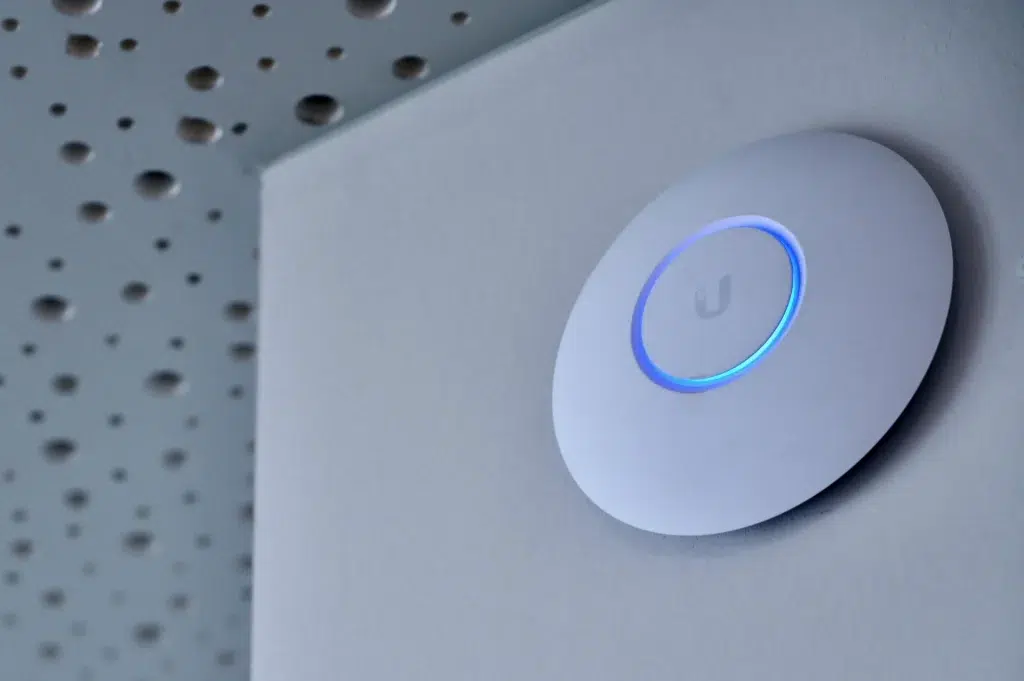
UniFi AP mounting affects coverage, stability, and long-term reliability. Additionally, correct mounting reduces service calls caused by water intrusion, vibration, or physical damage.
UniFi AP mounting rules that improve coverage
- Mount higher when possible for better line-of-sight
- Avoid mounting behind metal objects or inside metal enclosures
- Point the AP the way the manufacturer intends (orientation matters)
- Keep the AP away from electrical noise sources when possible
- Use outdoor-rated mounting points and hardware
- Use weatherproof grommets and sealed entry points
- Ensure strain relief so cable weight doesn’t stress the connector
- Keep enclosures ventilated to reduce heat buildup
UniFi Access Point Installation in UniFi Network: Adoption and Setup
Once the AP is mounted and powered, you need to adopt it and apply settings. This is where consistency matters. If you “tweak” settings without a plan, troubleshooting becomes harder later.
UniFi access point installation: adoption checklist
- Confirm the AP appears in the controller
- Adopt the AP and update firmware in a controlled way
- Assign the AP to the correct site/zone name
- Apply SSIDs and VLANs (guest vs staff vs IoT)
- Confirm channel plan and transmit power settings
Corrective step (UniFi access point installation): avoid changing multiple variables at once
If performance is poor, change one thing, then re-test. Otherwise, you won’t know what fixed the issue. This is a simple technician habit that saves hours.
Outdoor Access Point Setup Validation: Prove Coverage and Roaming
Installation is not complete until you validate. Validation turns a build into a supportable system. It also reduces negative guest feedback in outdoor venues.
Outdoor access point setup validation checklist
- Test edge areas and known weak spots
- Run a roaming test while walking a row or corridor
- Speed test in multiple zones (not only near the core)
- Check latency and packet loss for video calls
- Review uplink utilization during busy times if possible
Real-world technician scenario (UniFi AP mounting + tuning): coverage is good, roaming feels sticky
This often happens when AP transmit power is too high or channels overlap. The corrective step is to tune power down, adjust channel width, and re-test roaming on a real call.
Campground WiFi Hardware Troubleshooting: Fast Checks Before You Roll a Truck
When an AP is “down,” the cause is often simple. Therefore, use a repeatable checklist before dispatching a technician.
Campground wifi hardware troubleshooting checklist
- Check if the AP is offline or just has clients dropping
- Check switch port status and PoE power events
- Swap the patch cord at the switch side first (fast test)
- Check enclosure for water or corrosion
- Review controller logs for disconnect patterns
Corrective step (campground network maintenance): document the fix and update the port map
If you replace a cable or move a port, update documentation right away. Otherwise, the next issue takes longer to solve.
Internal Linking Suggestions (Yoast-Friendly)
Internal links help Google understand your UniFi and RV park WiFi topic cluster. They also keep readers moving through your guides. Add these links where they fit naturally:
- How to Plan WiFi Coverage for Large RV Parks (coverage planning)
- RV Park WiFi Maintenance: Monthly Checklist (maintenance)
- Troubleshooting Common RV Park WiFi Issues (support playbook)
- Small vs Large RV Park WiFi Solutions Compared (buyer comparison)
- 7 Signs Your RV Park Needs a WiFi Upgrade (upgrade triggers)
Conclusion: UniFi Access Point Installation Works Best When It’s Repeatable
UniFi access point installation is not just mounting hardware. It is planning, cabling, power, adoption, validation, and documentation. When you follow a repeatable process, you get stable coverage and fewer support calls. If you want the best long-term results, treat outdoor access point setup like infrastructure, not like a quick DIY project.
Schedule Your Free UniFi Access Point Installation Site Survey
Contact UniFi Nerds for a comprehensive network assessment, outdoor access point setup plan, and UniFi AP mounting guidance tailored to your property and campground wifi hardware needs
Call: 833-469-6373 or 516-606-3774 | Text: 516-606-3774 or 772-200-2600
Email: hello@unifinerds.com | Visit: unifinerds.com
Free consultations • Phased implementation • Budget-friendly • Volunteer training